Overview
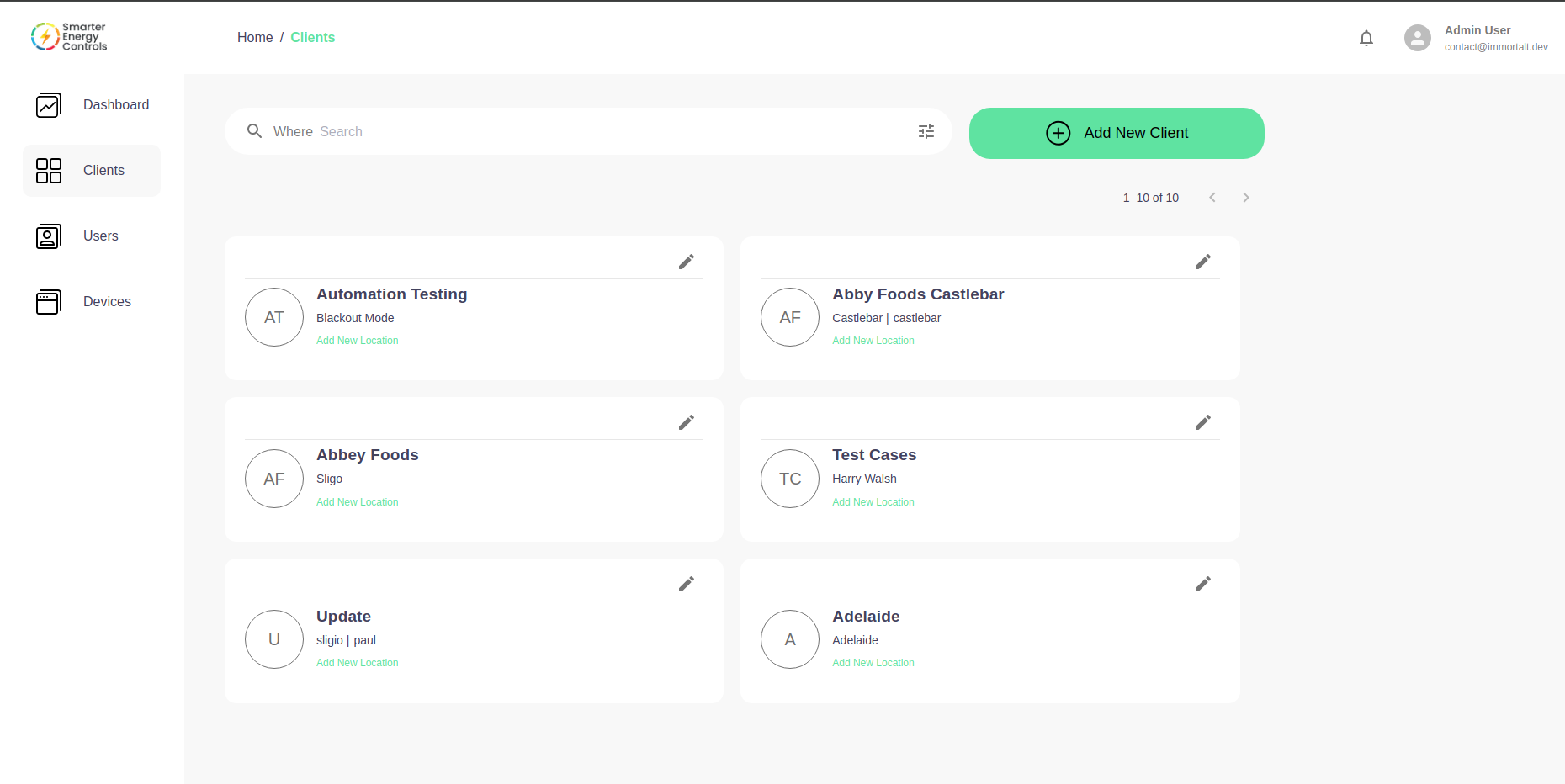
Welcome to the Clients section of the Smarter Energy Controls web application. This page serves as a central hub for managing and interacting with your clients.
Overview
- Search: Use the search bar at the top to quickly find clients. Simply type in the name, location, or other relevant details.
- Client List: Below the search bar, you will find a list of clients. Each client is represented by a card containing:
- Initials or logo of the client.
- The name of the client.
- The location or point of contact.
- A quick action button to "Add New Location" for the client.
- Add New Client: To add a new client to your system, click the green "Add New Client" button on the upper right.
Managing Clients
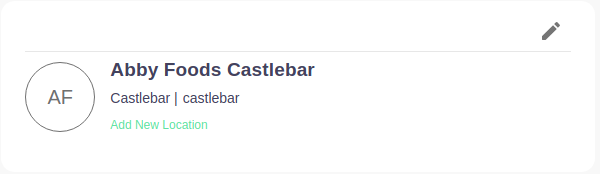
Each client card gives you a snapshot of the client's information:
- Initials/Logo: Helps you to visually identify the client quickly.
- Client Name and Location: Provides basic information about the client. Each Location Names are clickable.
- Add New Location: Allows you to add new operational locations for a client.
- Edit Client Icon: Allows you to modify client details.