Reports Management
This section of the document outlines the user interface for the report approval module of the administrative dashboard.
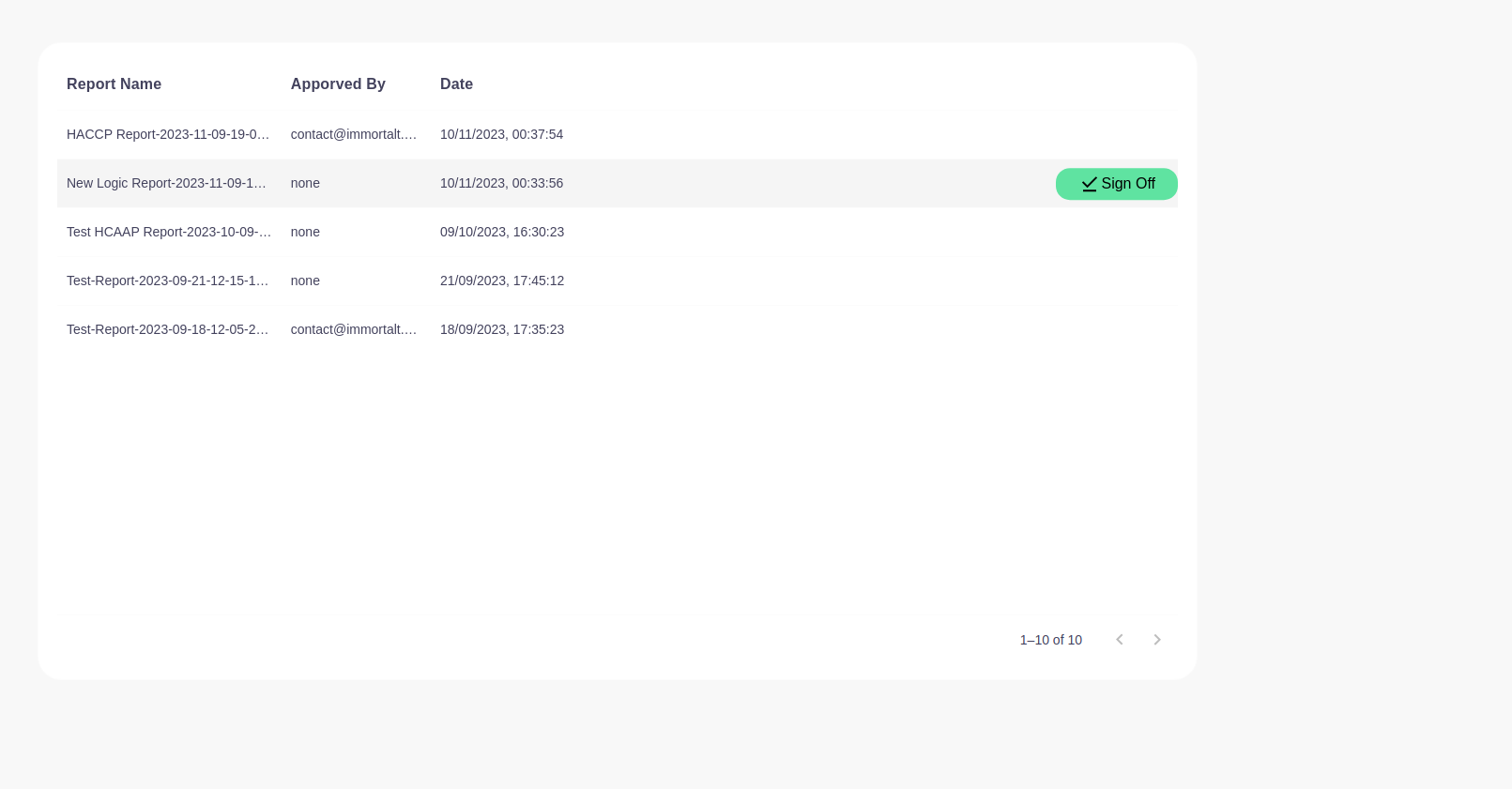
Interface Components
- Search Bar: There is a search bar at the top for finding specific reports quickly.
Report List Table
The table displays the reports pending approval or already approved, and includes the following columns:
- Report Name: The title of the report, which may include the report's specific type and the date it was created.
- Approved By: The email address of the person who approved the report or 'none' if the report hasn't been approved yet.
- Date: The date and time the report was approved or created.
Action Button
- Sign Off: A button to approve a report, situated on the right side.
- Download: A button to download Signed off reports.
Pagination Controls
- Located at the bottom, these controls allow the user to navigate through the report pages.
Usage
Administrators and authorized personnel can:
- Use the search bar to find specific reports by name or content.
- View which reports have been approved and by whom.
- Approve pending reports by clicking the 'Sign Off' button.
- Navigate through different pages of reports if there are more reports than can be displayed on one page.
Note: It is important to review reports thoroughly before approval to ensure compliance and accuracy.
For any discrepancies or further assistance, please reach out to the system administrator or the support team.