Settings Page
Overview
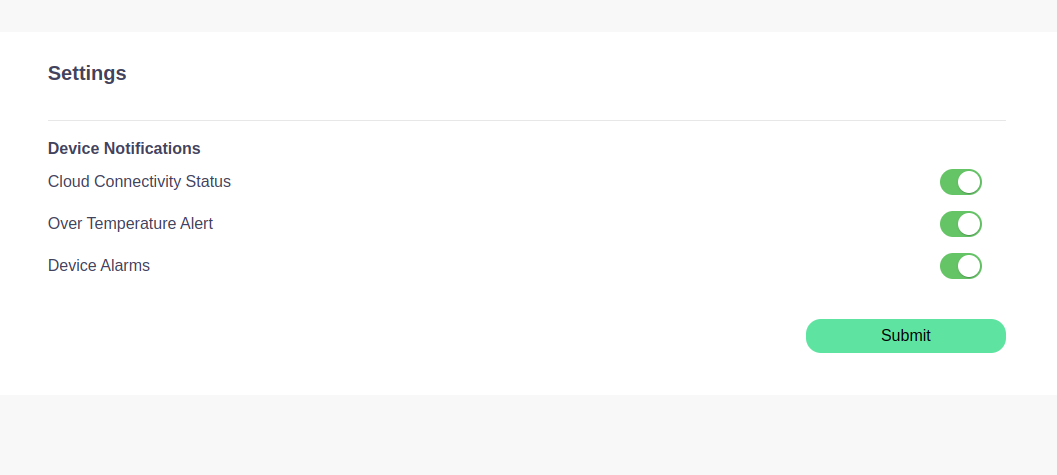
The Settings Page allows users to configure their device notifications. Users can toggle various device alerts and save their preferences by submitting the form.
Notification Settings
The Settings Page provides the following toggles for device notifications:
- Cloud Connectivity Status:
- Toggle this to receive notifications about your device's cloud connectivity. When enabled, you will be alerted if there are issues with cloud connection.
- Over Temperature Alert:
- This option will notify you if your device exceeds the temperature threshold. Enable this toggle to stay informed about any potential overheating.
- Device Alarms:
- Toggle to enable or disable device alarms for various critical events. This ensures you're notified about any alarming conditions on your device.
Once you've configured your notification preferences, click the Submit button to save your settings.
How to Access the Settings Page
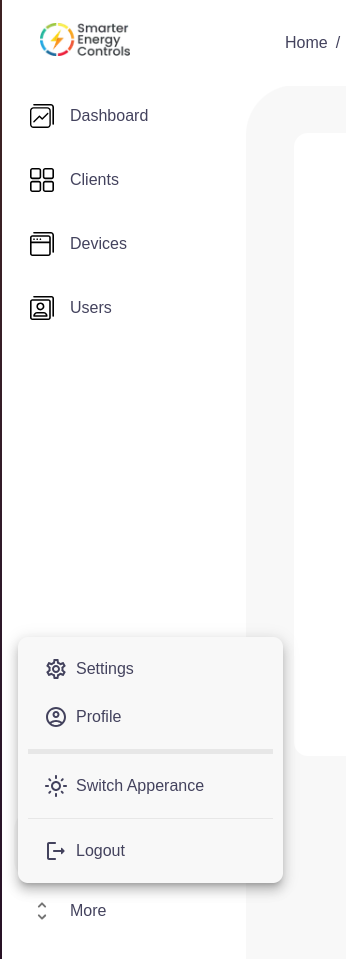
- Navigate to the Sidebar Menu.
- Scroll down and click on the Settings Icon in the menu (under your profile options).
- On the Settings Page, configure your device notification preferences using the toggles provided.
- After adjusting the settings, press Submit to apply your changes.
Important Notes
- Cloud Connectivity Status: Ensures you’re informed if the device loses connection to the cloud.
- Over Temperature Alert: Keeps you updated if the device is overheating.
- Device Alarms: Provides alerts for critical device events.